Recommended book
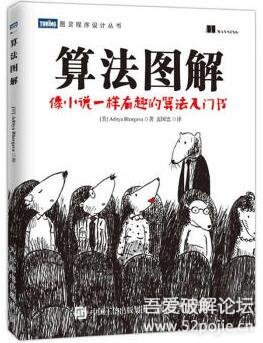
This book (Grokking Algorithms) was carefully picked from a large pile of algorithm books. It
- focuses on understanding the principles behind algorithms,
- replaces obscure formula proofs with vivid examples,
- and has genuinely fun illustrations,
which makes it very friendly to non-specialist developers. My own algorithm tutorial series is also built on Grokking Algorithms as its blueprint.
Where to get it
Besides buying the paper edition, you can also find it on WeRead (WeChat Reading), where unlimited reading cards make it a great deal.
Getting started
This post follows chapter 10 of Grokking Algorithms. KNN is one of the entry-level algorithms in machine learning. KNN stands for K Nearest Neighbors, and the principle is very simple: classify by counting the elements nearby in the data’s spatial neighborhood. Our ancestors expressed a similar algorithm in one sentence: birds of a feather flock together.
We will use scikit-learn, which you can install with
pip install scikit-learn The iris dataset
The iris classification problem is a very classic case for the KNN algorithm. The scikit-learn library ships with a labeled iris dataset: 150 records in total, containing sepal and petal length and width.
After shuffling the data, we split it 3:1 into two groups: one as training data, one as test data. The training data generates the KNN model. Since the computer worked hard to generate a model, we need to evaluate the result and confirm the model actually works — that is where the test data comes in. Run the test data through the model, compare the computed results with the data’s own labels, and you get the model’s accuracy.
One point deserves special attention: both the training and test data are labeled, meaning the flowers were classified by human intelligence. I remember a village in Henan was dubbed an “AI village” — what it actually produces is exactly this kind of labeled data, not real “artificial intelligence” research.
The iris dataset can be loaded with the following code:
from sklearn.datasets import load_iris
iris_dataset = load_iris()
Because the iris dataset is ordered, if we split it directly at a 3:1 ratio into:
- training data
- test data
the distributions would concentrate in specific regions and be uneven. So the data needs to be shuffled before splitting — scikit-learn already provides the tool:
from sklearn.model_selection import train_test_split
X_train, X_test, y_train, y_test = train_test_split(
iris_dataset['data'], iris_dataset['target'], random_state=0)
Sharpening the knife
The data is roughly ready. KNN requires the features themselves to be usable as classification conditions for the model to really work — the color of oranges and apples, for example, can serve as a classification feature, while their prices may not. In practice, we should also look at the data first.
import pandas as pd
import mglearn

iris_dataframe = pd.DataFrame(X_train, columns=iris_dataset.feature_names)
# color by y_train
grr = pd.plotting.scatter_matrix(iris_dataframe, c=y_train, figsize=(15, 15), marker='o',
hist_kwds={'bins': 20}, s=60, alpha=.8, cmap=mglearn.cm3)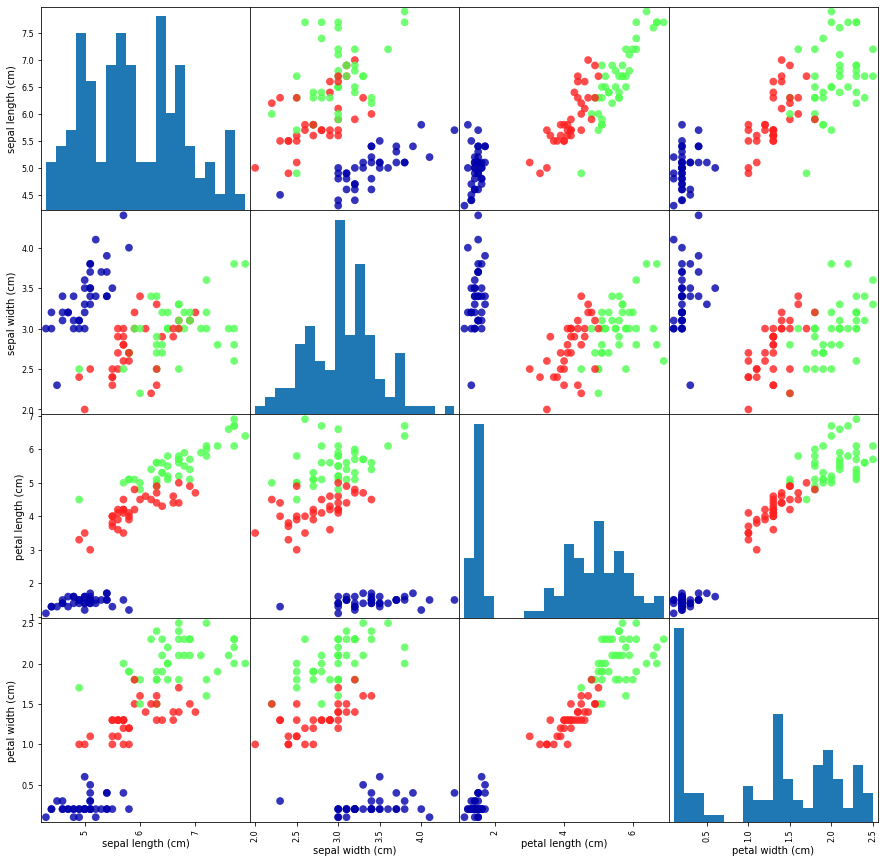
You can clearly see that the existing data basically separates the 3 kinds of flowers, so we can proceed to the next step with confidence.
Cutting the firewood
Now that we have confirmed the data can produce a classifier, it is time to build a model. Thanks to the Python community, we don’t need to build one from scratch — scikit-learn already provides usable classifiers, including the KNN classifier. All we need to do is:
- initialize the classifier’s parameters (only a few need to be specified; the rest can stay at their defaults),
- train the model,
- evaluate and predict.
The K in KNN means how many nearest neighbors — it can be 1, 2, 3, or more. Here we build a model with K = 3, and pass the training data X_train and y_train as parameters to build it.
from sklearn.neighbors import KNeighborsClassifier
knn = KNeighborsClassifier(n_neighbors=3)
knn.fit(X_train, y_train)
Note that knn is an object; the fit function actually modifies the internal data of the knn object. The KNN classifier is now ready.
Using the knn.predict method, we can make predictions on data. To evaluate the classifier’s accuracy, we compare the predictions with the test data and compute the hit rate.
y_pred = knn.predict(X_test)
print("Test set predictions:\n {}".format(y_pred))
print("Test set score: {:.2f}".format(np.mean(y_pred == y_test)))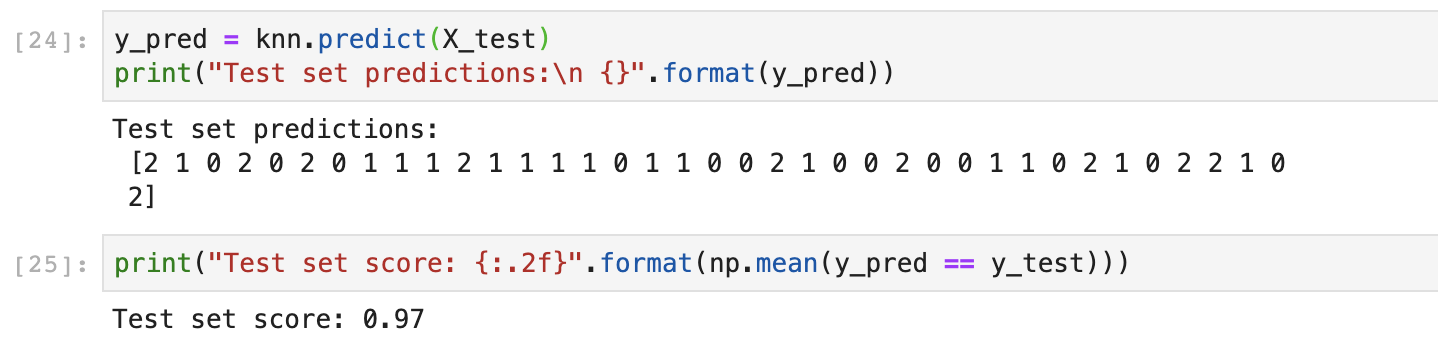
In the end, the accuracy reaches 97% — not bad. Your result should be about the same.
From KNN to machine learning
The KNN algorithm is:
- very simple in theory,
- fast to train (it basically doesn’t learn at all),
- relatively accurate,
while at the same time:
- computationally heavy (it computes distances between samples and neighboring points),
- memory-hungry, because the KNN model relies on the training data itself as parameters,
- less accurate for rare categories when samples are imbalanced,
- hard to interpret, making it difficult to form explicit rules.
Although KNN is very simple and brute-force, and quite different from today’s popular deep learning, its process of handling data, learning, and predicting — however simple — already contains the basic elements of machine learning.
The code is here: https://github.com/JiangChuanGo/examples/blob/master/KNN/Iris.py